
VoiceDash: Turn Your Speech into Polished Writing
In today’s fast-paced digital world, writing efficiently is more important than ever. Whether you are drafting emails, creating blog posts, replying to messages, or preparing professional documents, typing everything manually can be time-consuming. That’s where VoiceDash comes in.
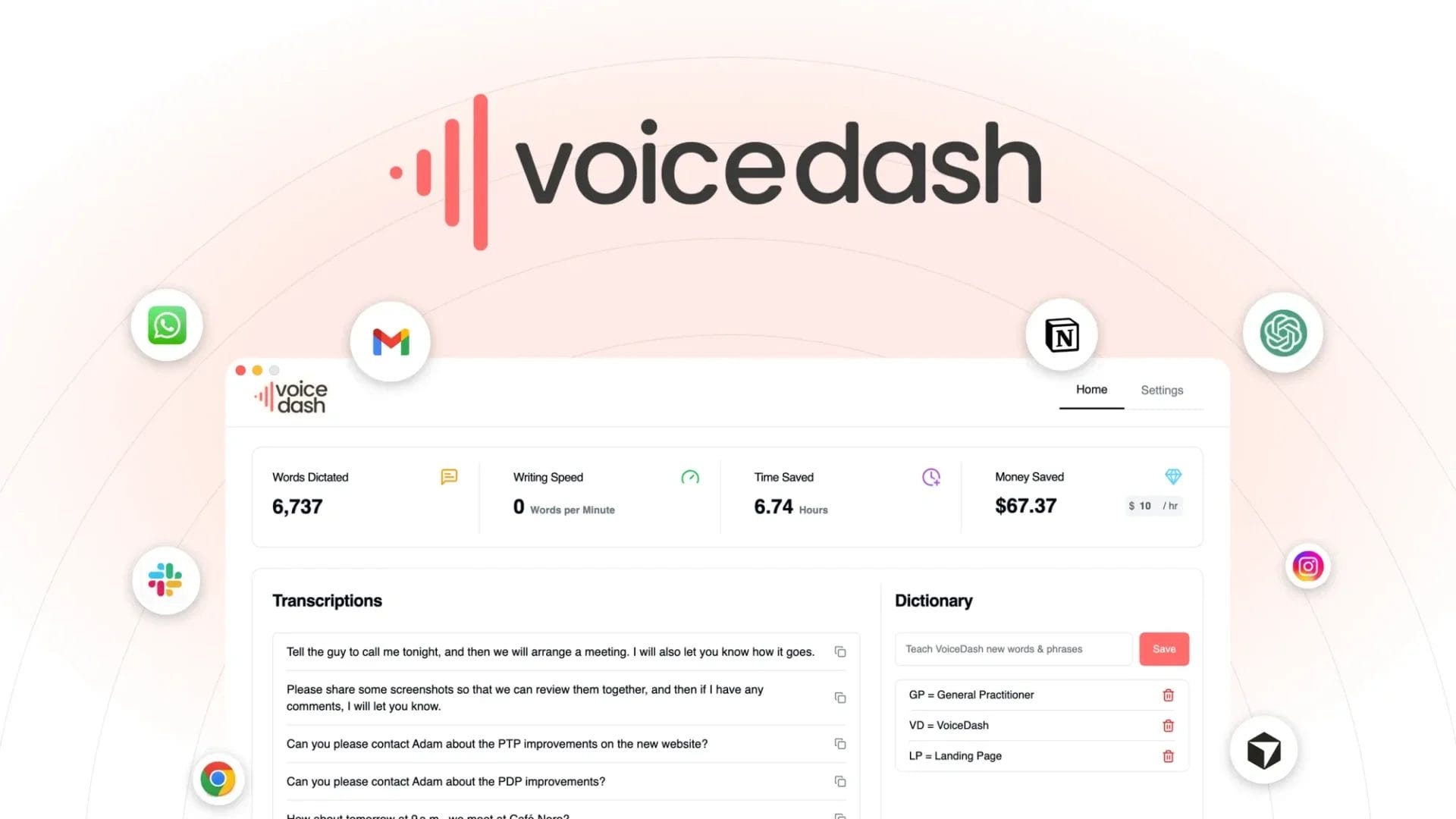
VoiceDash is an AI-powered voice dictation tool that instantly converts your speech into clean, structured, and ready-to-send text. With intelligent grammar correction and filler-word removal, it transforms natural speech into polished writing while you speak. Even better, it works across Mac, Windows, and Android, allowing you to dictate text in almost any application.
Let’s explore how VoiceDash works and why it is quickly becoming an essential productivity tool for professionals, creators, and everyday users.
Table of Contents
What is VoiceDash?
VoiceDash is a smart AI voice typing tool designed to convert spoken words into professional-quality written text. Unlike traditional dictation tools that simply transcribe speech word-for-word, it goes a step further by cleaning up grammar, removing filler words, and organizing sentences automatically.
The result is text that looks like it was carefully written rather than spoken.
Whether you are writing an email, preparing notes, drafting content, or sending quick messages, it helps you speak naturally while the AI handles the editing.
Key Features of VoiceDash
1. AI Voice Dictation for Instant Writing
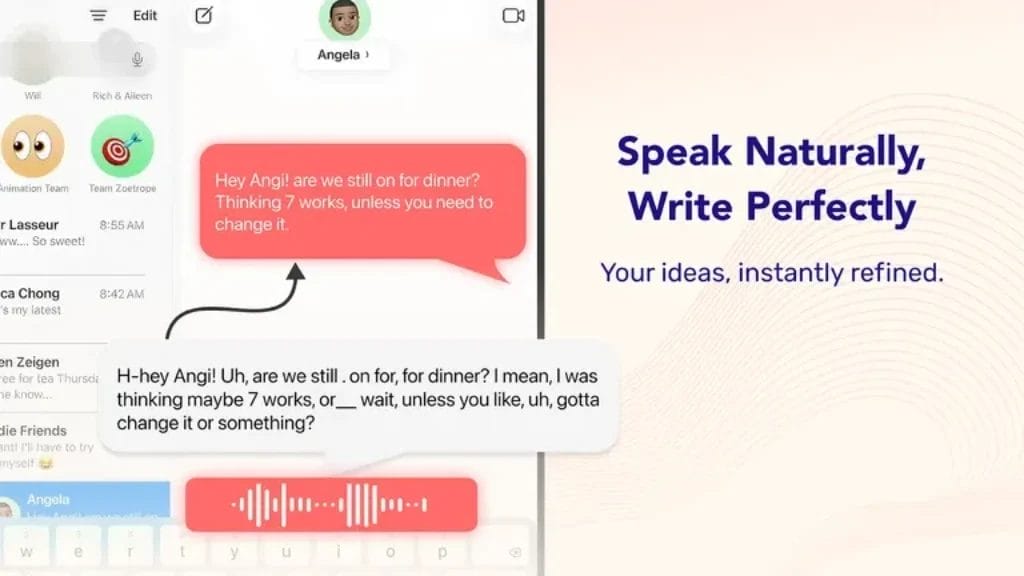
VoiceDash allows users to speak naturally while the AI converts their speech into structured text instantly. Instead of typing long paragraphs manually, you can simply speak and watch your words turn into polished writing.
This makes it perfect for:
- Emails
- Blog writing
- Notes and documentation
- Social media posts
- Messaging apps
- Reports and professional communication
The AI ensures your speech becomes clear, readable, and properly structured text.
2. Remove Filler Words Automatically
When people speak, they often use filler words such as:
- “um”
- “uh”
- “like”
- “you know”
It automatically removes these filler words while transcribing your speech. This makes your writing look professional and concise, even if your speech is casual.
This feature is especially helpful for professionals who want to dictate messages quickly without worrying about editing afterward.

3. Real-Time Grammar Correction
VoiceDash doesn’t just transcribe speech — it improves it in real time.
As you speak, the AI automatically:
- Fixes grammar mistakes
- Adjusts sentence structure
- Adds punctuation
- Improves readability
This ensures the final output looks like a well-written document instead of raw speech text.
4. Works Across All Apps
One of the biggest advantages of it is its ability to work inside almost any app.
You can dictate text directly into:
- Email clients
- Google Docs
- Microsoft Word
- Messaging platforms
- Note-taking apps
- Project management tools
- Social media platforms
Since it works system-wide, you can use voice typing anywhere you normally type.
5. Multi-Platform Compatibility
It is designed for modern users who work across different devices. It supports:
- Mac
- Windows
- Android
This means you can dictate text whether you are working on a desktop computer, laptop, or mobile device.
Your workflow becomes faster because you can write using your voice wherever you are.
6. Personalised Writing Style
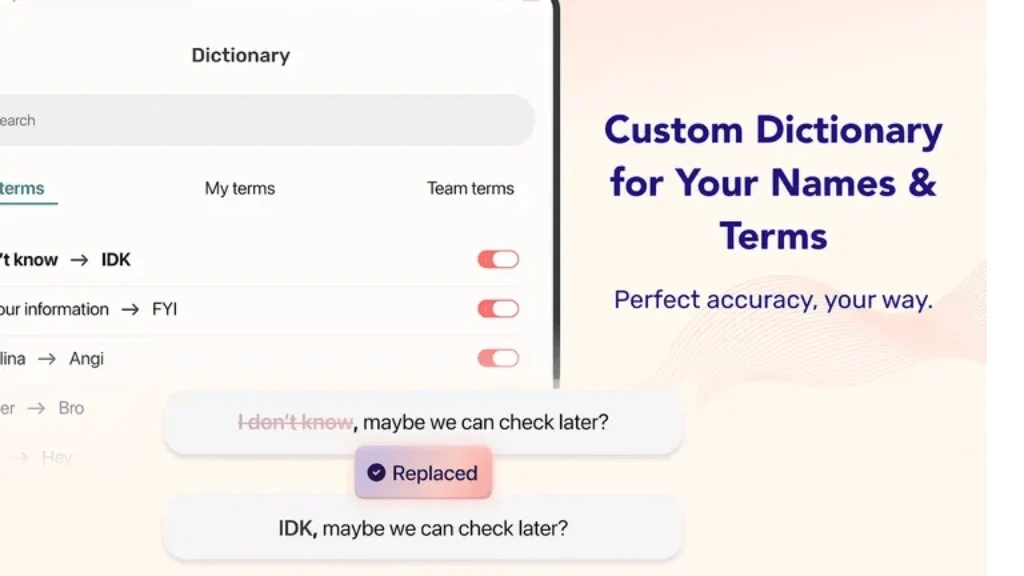
Everyone has a different writing style, and it understands that. The tool allows users to personalise how their dictated text is structured and formatted.
For example, you can adjust:
- Tone of writing
- Sentence style
- Formatting preferences
- Editing behaviour
This helps ensure that your writing still sounds like you, even though AI is polishing the text.
7. Keep Your Voice Private

Privacy is a major concern when using voice technology. It focuses on keeping user data secure and protecting voice inputs.
Your speech data is handled responsibly so that users can dictate messages, notes, and professional content with confidence.
This makes it suitable for both personal and professional communication.
Also Read: Buried Profits AI: Turn Expired Domains Into Passive Income Machines with AI Automation
Benefits of Using VoiceDash

It offers several advantages for people who want to write faster and smarter.
Faster Content Creation
Speaking is naturally faster than typing. It allows users to create documents, emails, and notes several times faster than manual typing.
Improved Productivity
By removing the need for heavy editing, VoiceDash saves time and reduces the effort required to produce polished writing.
Reduced Typing Fatigue
Typing for long periods can cause strain and fatigue. Voice dictation allows users to communicate comfortably without constant typing.
Perfect for Multitasking
You can dictate while walking, brainstorming, or working on other tasks, making VoiceDash a great tool for multitaskers.
Who Should Use VoiceDash?
VoiceDash is ideal for a wide range of users, including:
Professionals
Business professionals can dictate emails, reports, and meeting notes quickly without worrying about editing grammar.
Content Creators
Bloggers, writers, and marketers can generate ideas and draft content faster using voice dictation.
Students
Students can use VoiceDash for note-taking, essay drafting, and study materials.
Entrepreneurs
Busy entrepreneurs can dictate messages, plans, and ideas instantly while focusing on other tasks.
Also Read: Visby AI: Track AI Mentions, Benchmark Competitors & Dominate Visibility with Smart GEO Optimization
How VoiceDash Improves Everyday Writing
Many people struggle with writing quickly while maintaining clarity and professionalism. VoiceDash bridges this gap by combining natural speech with AI editing capabilities.
Instead of worrying about punctuation, grammar, or filler words, users can focus on expressing their ideas naturally. The AI then converts those ideas into clear, structured, ready-to-send text.
This makes writing feel more like having a conversation rather than completing a tedious task.
Also Read: Blazly AI: Rank on Google and Get Cited by AI with SEO & GEO Optimized Content
Final Thoughts
VoiceDash is transforming the way people write by turning speech into polished text instantly. With features like AI voice dictation, automatic grammar correction, filler-word removal, and cross-platform compatibility, it helps users communicate faster and more efficiently.
Whether you are writing emails, drafting content, taking notes, or sending messages, VoiceDash makes the process simple — just speak, and let AI do the editing.
If you want to save time, improve productivity, and create professional-quality writing effortlessly, VoiceDash is a powerful tool worth exploring.
Speak naturally, write smarter, and let AI turn your voice into polished text.