
Table: Turn Your Messy Data Into a Powerful AI-Native System
In today’s fast-paced digital world, chaos is the silent killer of productivity.
Spreadsheets are scattered. CRM data is outdated. Marketing campaigns lack coordination.
Sound familiar?
What if you could take all that messy data and transform it into a smart, AI-powered system that works for you 24/7?
That’s precisely what Table is designed to do.
It’s not just another tool—it’s a complete AI-native workspace where projects, CRM, and marketing come together seamlessly, powered by automation and intelligent workflows.
Table of Contents
What is a table?
Table is an innovative AI-powered platform that allows you to centralize, manage, and automate your data across projects, CRM systems, and marketing workflows.
Unlike traditional tools that require complex setups, Table lets you:
- Build systems using simple chat prompts
- Organize structured and unstructured data
- Automate repetitive tasks effortlessly
- Analyze performance in real time
It’s like having a smart assistant + database + automation engine—all in one place.
Why Traditional Tools Are Failing You
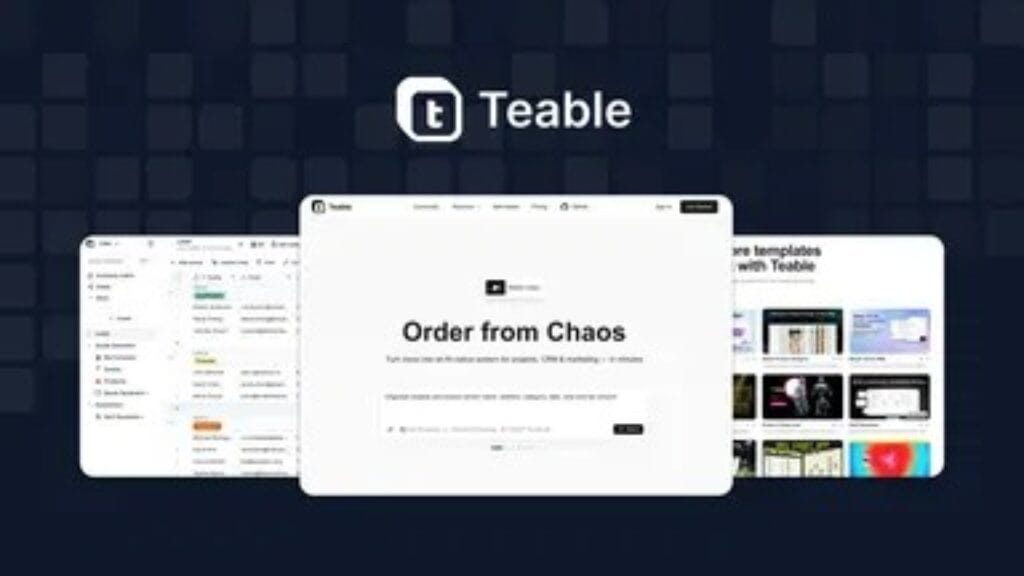
You’re probably juggling:
- spreadsheets
- CRMs
- project management apps
- marketing dashboards
But none of them truly talk to each other.
Also Read: Documentation. AI: Create, Optimize & Maintain Stunning Product Docs with AI Automation
Manual Work Is Slowing You Down
Updating data, tracking leads, managing campaigns—it’s exhausting.
Data Chaos Leads to Poor Decisions
When your data is messy, your strategy suffers.
That’s why an AI-native system like Table is a game-changer.
How Table Transforms Your Workflow
1. Turn Chaos into Structure
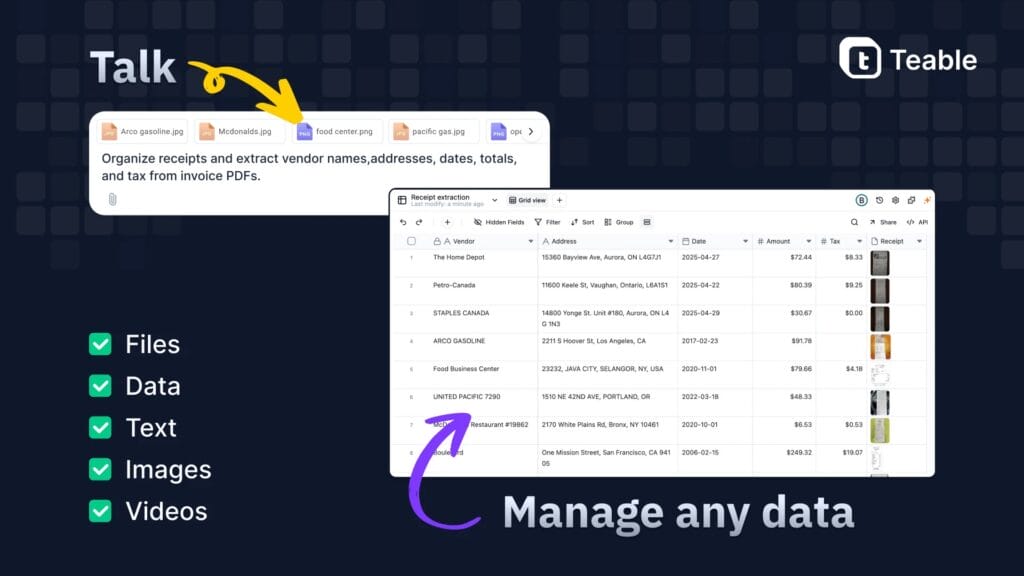
Upload or connect your data, and Table organizes it automatically.
2. Build Systems with Chat
Simply type what you want:
- “Create a CRM pipeline.”
- “Track marketing campaigns”
- “Analyze customer behavior.”
And Table builds it instantly.
3. Automate Everything

From lead tracking to follow-ups—automation handles it all.
4. Get Smart Insights
AI analyzes your data and provides actionable recommendations.
Key Features of the it
AI-Powered Data Organization
Structure your data without manual effort.
Chat-Based System Builder
Create tools and workflows using simple instructions.
All-in-One Workspace
Manage:
- projects
- CRM
- marketing campaigns
in one place.
Advanced Analytics
Understand trends, performance, and opportunities.
Automation Engine
Eliminate repetitive tasks with intelligent automation.
Customizable Workflows
Tailor systems to your business needs.
Benefits of Using a Table
Save Time
Automate repetitive tasks and focus on growth.
Improve Decision-Making
Use real-time insights to guide strategy.
Boost Productivity
Work smarter with AI-powered tools.
Centralize Your Data
No more switching between multiple platforms.
Scale Effortlessly
Handle growing data without complexity.
Use Cases for it
Project Management
Track tasks, deadlines, and progress in one system.
CRM Management
Organize leads, manage pipelines, and improve conversions.
Marketing Automation
Plan, execute, and analyze campaigns efficiently.
Also Read: Hedy AI: Master Professional Conversations with Your Real-Time AI Meeting Coach
Data Analysis
Turn raw data into meaningful insights.
Team Collaboration
Keep everyone aligned with shared systems.
Table vs Traditional Tools

| Feature | Table | Traditional Tools |
|---|---|---|
| Setup | Instant (via chat) | Complex |
| Automation | Built-in AI | Limited |
| Integration | Unified | Fragmented |
| Data Analysis | Real-time | Manual |
| Ease of Use | Beginner-friendly | Learning curve |
Why Table Stands Out
AI-Native by Design
Unlike traditional tools, Table is built for AI from the ground up.
No Coding Required
Anyone can build powerful systems without technical skills.
Flexible and Scalable
Adapts to your needs as your business grows.
Future-Proof Workflow
Stay ahead with cutting-edge AI capabilities.
How to Get Started with Table
Step 1: Input Your Data
Upload spreadsheets or connect your tools.
Step 2: Use Chat to Build
Describe what you need; the table does the rest.
Step 3: Customize Workflows
Adjust systems to match your processes.
Step 4: Automate and Scale
Let AI handle repetitive tasks while you grow.
Pro Tips to Maximize Table
Start Simple
Begin with one workflow and expand gradually.
Use Automation Frequently
Automate as many repetitive tasks as possible.
Leverage Insights
Act on AI recommendations for better results.
Keep Data Clean
Organized data leads to better outcomes.
Train Your Team
Ensure everyone knows how to use the platform.
The Future of Work Is AI-Native
Businesses are moving away from fragmented tools toward unified AI systems.
With platforms like Table,
- workflows become smarter
- decisions become data-driven
- Teams become more efficient
It’s not merely about managing data; it’s about harnessing its full potential.
Frequently Asked Questions (FAQs)
1. What is a table?
Table is an AI-powered platform that helps you organize, analyze, and automate data for projects, CRM, and marketing.
2. Do I need technical skills to use it?
No, Table is designed for beginners with a simple chat-based interface.
3. Can it replace multiple tools?
Yes, it combines project management, CRM, and marketing into one system.
4. Is it suitable for small businesses?
Absolutely, it works for businesses of all sizes.
5. How does automation work?
You can set rules and workflows that run automatically using AI.
6. Can I analyze my data in real time?
Yes, the Table provides real-time insights and analytics.
Final Thoughts
If you’re tired of juggling multiple tools and dealing with messy data, it’s time for a smarter solution.
With Table, you can
- Organize your data
- automate your workflows
- analyze performance
- scale your business
—all from a single AI-powered platform.
Stop working harder.
Start working smarter with AI.
If you want, I can also create the following:
Also Read: Buried Profits AI: Turn Expired Domains Into Passive Income Machines with AI Automation